
What players say
Desk Detectives: Find the Changes sticks to a familiar spot-the-difference formula and executes it cleanly. The side-by-side office scenes are bright and uncluttered early on, then gradually add visual noise and subtler mismatches. The hint button and timer create a mild risk-reward layer, though players who prefer pure observation can ignore both. It suits casual players who enjoy detail-oriented puzzles and want something playable in a browser without installation.
About this game
Comparing Paired Office Scenes
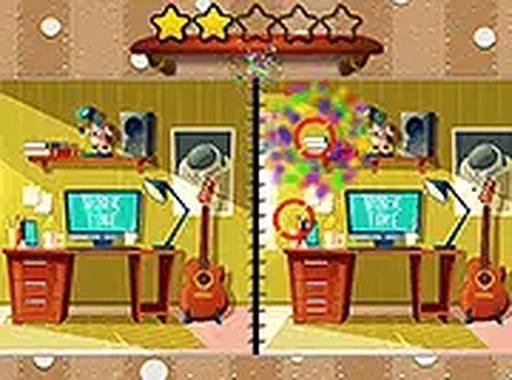
Desk Detectives: Find the Changes presents two pictures side by side. Each scene depicts a desk or office area filled with everyday objects: papers, chairs, plants, and electronics. The player's job is to locate every mismatch between the two images. A difference might be a missing stapler, a coffee mug in a different color, or a picture frame shifted slightly. Correct finds are highlighted immediately, and a progress indicator shows how many differences remain before the level is complete.
A Difficulty Curve That Rewards Attention
Early levels keep the scene sparse and the differences obvious, which makes the game approachable for players who are new to spot-the-difference puzzles. Later stages add clutter and reduce the size of the mismatches. Some differences come down to the number of books on a shelf or the exact position of a pen. That gradual shift from broad observation to fine detail keeps the challenge engaging without becoming frustrating.
Calm Visuals and Browser-Based Controls
The artwork uses bright, friendly colors and simple shapes. Office environments are drawn with a lighthearted touch rather than realistic clutter. There are no distracting animations or loud sounds, which helps players concentrate. The game runs entirely in a web browser with no download or installation. Players click differences with a mouse or tap them on a touchscreen, and the interface adapts to different screen sizes, so it works on desktops, laptops, tablets, and smartphones.
Hints, Timer, and Scoring Trade-offs
A hint button reveals one difference when a player gets stuck, but using it can affect the final score. That design encourages players to rely on their own observation first while still providing a safety net. A timer adds gentle pressure, motivating quicker decisions without turning the experience into a stressful race. Together, the hint system and timer create a light risk-reward layer on top of the core comparison task.
Compatibility
FAQ
Player comments
Sign in to comment
You must be logged in before posting a review or rating.
No comments yet. Be the first to comment!









Editorial Notes